Dies ist eine alte Version des Dokuments!
Databases
Databases
Path: Main Menu: Material > Connect to database…
Path: Explorer window > Tab: Machine > Button: connect
SIGMA offers you the possibility to connect to a material or machine database. For a successful database connection four parameters are needed:
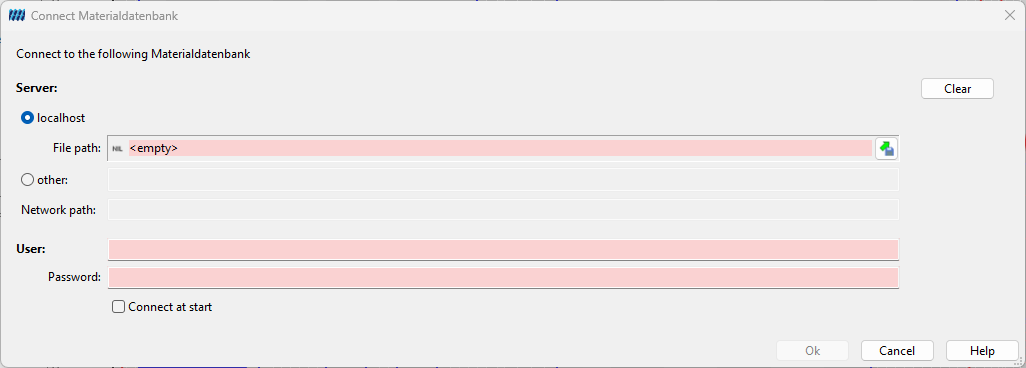
- Server: A symbolic or numeric IP address of the computer on which the database is physically stored and on which the corresponding database service (Firebird/InterBase) is running. If your workstation computer is the server, please select localhost.
- Path: Specifies the storage location of the database. If your workstation computer is the server, you have the option to search for the file using the diskette icon. For example, the local PAM database is located in the PAM program directory and is named Pam2.0.gdb.
- Connect as (User): The user name of the database decides your rights. With a standard installation of PAM the user name is SYSDBA. If the database service rejects this login, please contact your administrator.
- Password: The password for the specified user name cannot be entered here, as SIGMA does not store passwords for security reasons. However, you only need to enter the password once per session when connecting to the corresponding database. In a standard PAM installation, the default password is masterkey.