Dies ist eine alte Version des Dokuments!
Migration of a Firebird 2.5 Database to a Firebird 5 Database
You can find the current PAM version here.
Background
Since 2026-04-17, the Firebird vulnerability CVE-2026-40342 has been publicly known. To avoid potential risks, we recommend that you uninstall the currently installed Firebird version as soon as possible and switch to the current version.
Please then install the following version: Firebird 5.0.4 for Windows x64
Please note that the PAM database currently still has to be migrated to the new system manually.
Unfortunately, automatic migration is not yet available at this time.
You currently have three options:
Local Use
Open the file C:\Program Files (x86)\Firebird\Firebird_2_5\firebird.conf and change the line:
#RemoteBindAddress =
to
RemoteBindAddress = 127.0.0.1
This ensures that the server is only accessible locally.
Manual Migration
Please perform the migration as follows:
1. Uninstall Firebird 2.5.9
Please first uninstall Firebird 2.5.9.
2. Install Firebird 5.0
Install Firebird 5.0 using the default settings. Please make a note of the assigned SYSDBA password (referred to below as mySYSDBA_PASSWORD).
3. Download Firebird 2.5 portable
To migrate Firebird 2.5 databases, a running Firebird 2.5 server is temporarily required. For this purpose, please download the portable version of Firebird 2.5 https://www.firebirdsql.org/download-file?file=https://github.com/FirebirdSQL/firebird/releases/download/R2_5_9/Firebird-2.5.9.27139-0_Win32.zip and extract it, for example, to C:\FB25.
4. Adjust the firebird.conf file
Open the file C:\FB25\firebird.conf and change the line:
#RemoteBindAddress =
to
RemoteBindAddress = 127.0.0.1
This ensures that the server is only accessible locally. Network databases will then no longer be accessible.
5. Copy the existing security database
If Firebird 2.5 was previously installed, please copy the file C:\Program Files(x86)\Firebird\Firebird_2_5\security2.fdb to C:\FB25\security2.fdb.
6. Start the Firebird 2.5 server
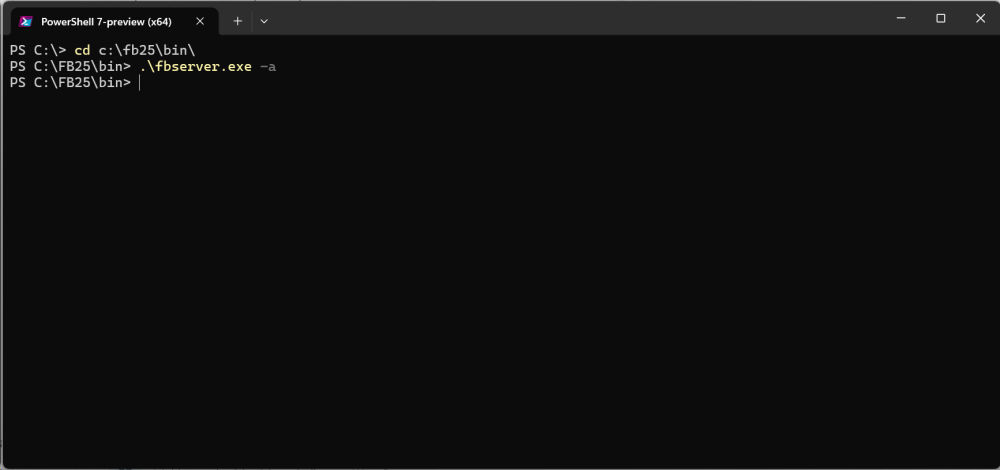
Open a PowerShell window and execute the following steps:
cd C:\FB25\bin\$env:FIREBIRD=„C:\FB25“.\fbserver.exe -a
7. Perform the database migration
First, copy the database to be migrated into the temporary folder, for example C:\FB25.

Open a second PowerShell window and execute the following commands:
C:\FB25\bin\gbak.exe -backup -user sysdba -password oldMASTERKEY 'C:\FB25\OLD_DATABASE.GDB' backup_db.txttaskkill /im fbserver.exe- ''& 'C:\Program Files\Firebird\Firebird_5_0\gbak.exe' -c -v -user sysdba -password mySYSDBA_PASSWORD .\backup_db.txt 'C:\FB25\NEW_DATABASE.GDB' ''
The following applies:
- oldMASTERKEY is the SYSDBA password in Firebird 2.5
- mySYSDBA_PASSWORD is the password assigned during the Firebird 5.0 installation
- C:\FB25\OLD_DATABASE.GDB is the existing database in Firebird 2.5 format (e.g. C:\Users\Public\Documents\KTP\PAM\Databases\PAM31se.GDB)
- C:\FB25\NEW_DATABASE.GDB is the storage location of the new migrated database (e.g. C:\Users\Public\Documents\KTP\PAM\Databases\PAM31se_new_fb5.GDB)
This step can be repeated for multiple databases if required.
Automated Migration
Automated database migration is available as of version PAM 3.1.2.
First, make sure that Firebird 2.5 32-bit has been uninstalled and Firebird 5.0.4 64-bit is installed.
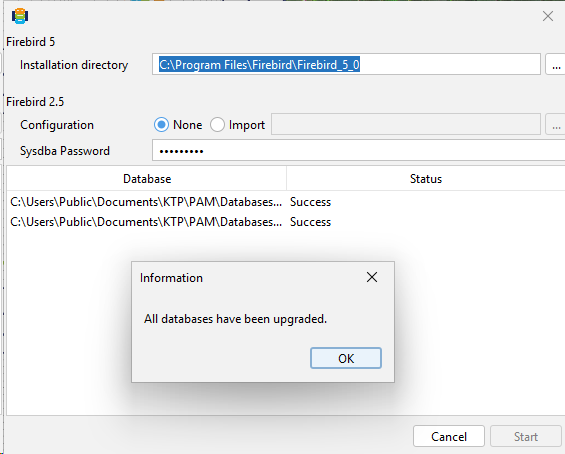
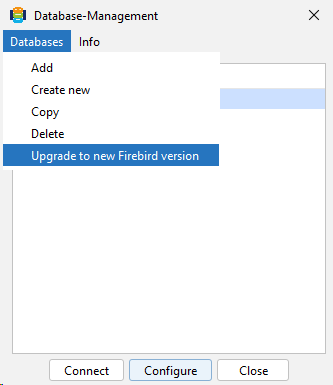
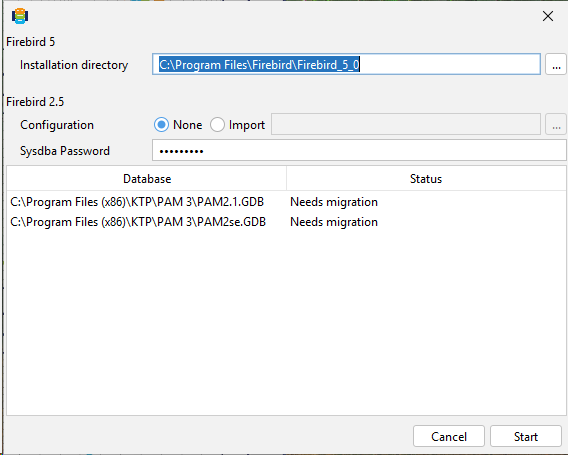
To migrate your material databases from Firebird 2.5 to Firebird 5, please use the assistant in the PAM Material Data Management. To do this, click Databases in the menu and then select Update to New Firebird Version.
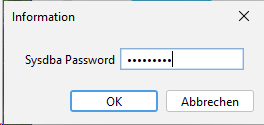
Next, enter the administration password for the sysdba user.
The databases listed in PAM for which migration is required are now displayed. Then click Start.
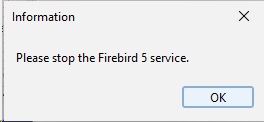
Open the Task Manager and stop the FirebirdServerDefaultInstance service.
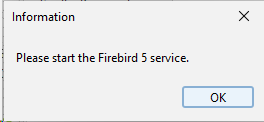
Then restart the FirebirdServerDefaultInstance service.
Once the databases have been migrated successfully, the status changes to Success. You can then close the assistant.
The material databases are now available again.