Pure Polymers
Polymers
Path: Main menu > Material > New polymer… Tab: General
Path: Main menu > Material > Edit material (file)… Tab: General
The menu Material contains all topics to enter and edit material data. In any case the dialog shown in the figure opens. Here you can enter and/or edit all material data required for the simulation. The data are split up into General, Thermodynamic data, Densities and Rheological data. All data required for the simulation can be entered or edited there.
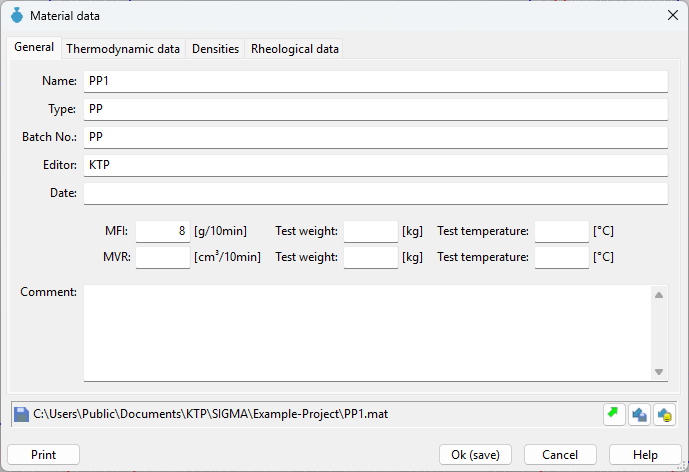
In the tab General the following material data can be edited:
- Name: Name of the material
- Type: Type of the material
- Batch No.: Individual batch number for each material
- Editor: Name of the editor
- Date: Date on which the material data was entered
- Comment: eventual comment of the editor