Dies ist eine alte Version des Dokuments!
Options - Database
Options - Database
Path: Main menu > Options > Database…
On the tab Database (see figure) standard databases can be entered for material and machine and the user can choose to connect them when starting SIGMA. To connect a database successfully four parameters are needed:
- Server: A symbolic or numerical IP address where the database is saved physically and the database serve (Firebird/ Interbase) is started. If your work station is the server, uncheck the respective box; the textbox should now show ”localhost”.
- Path: Says where the database is saved to. If your work station is the server you can search for the database by clicking the … button. The local PAM database i.e. is found in the program directory and is named Pam1.1.gdb.
- User: The user name of the database determines your rights. For a standard installation of PAM the user name is SYSDBA and the password masterkey. If you are refused a connection with this login contact your administrator.
- Password: On the Database tab of Options there is no box for entering a password, since SIGMA does not save passwords for security reasons. However, you will only have to enter the password once for each session when connecting a database.
The Test connection button tries to connect the specified database. This can be helpful if you are not positive about all database serves being installed correctly or in case you are using a central database.
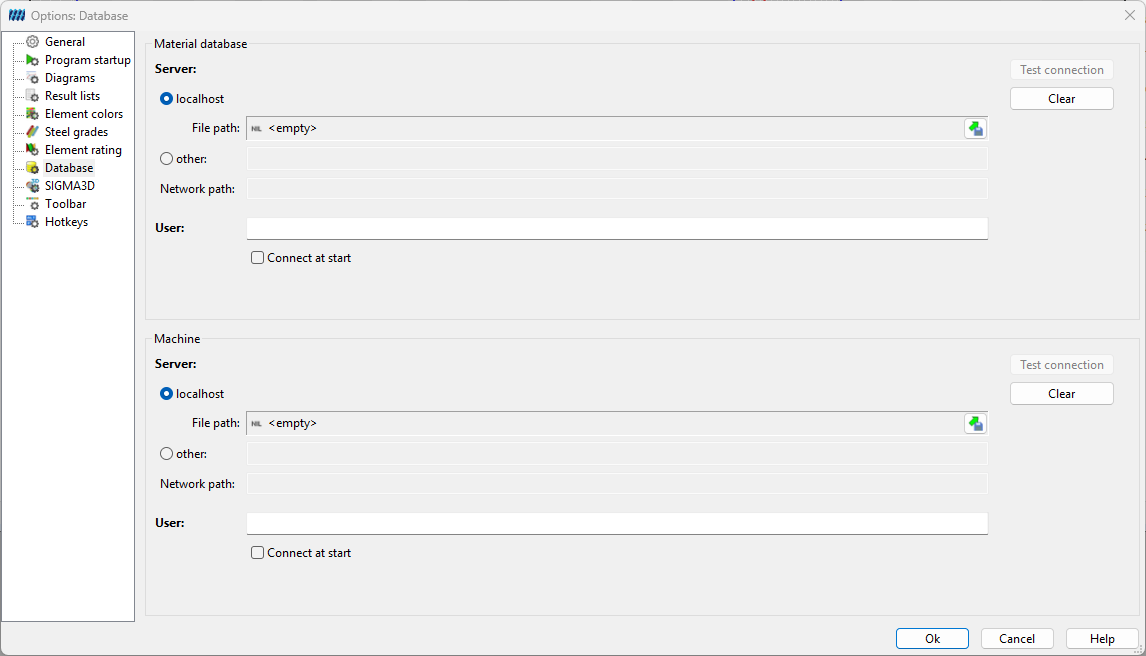 Figure: Options Database