Dies ist eine alte Version des Dokuments!
Cost Calculation
Cost Calculation
Path: Main menu: Simulation > Costing
To display the cost calculation in SIGMA (Simulation / Costing) must be clicked. This will open a dialog with three tabs („machine hour rate“, „Costing calculation“ and „Default sizes“).
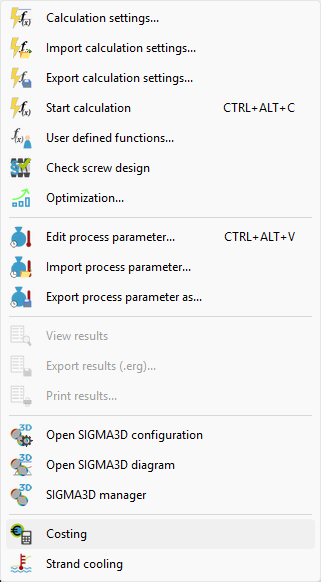
Machine hour rate
Path: Main menu: Simulation > Costing
In the „tab machine hour rate“ the acquisition costs of the extruder must be entered.
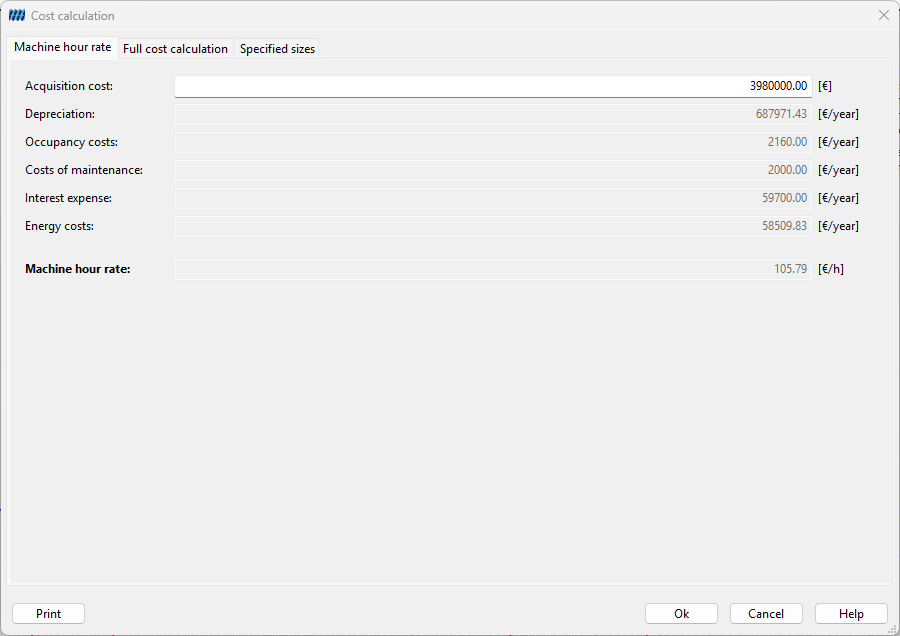
Full cost calculation
Path: Main menu: Simulation > Costing
In the second tab „Full cost calculation“ the price of each material in €/kg must be entered. With the input values SIGMA can calculate the machine hour rate and the total costs of one year.
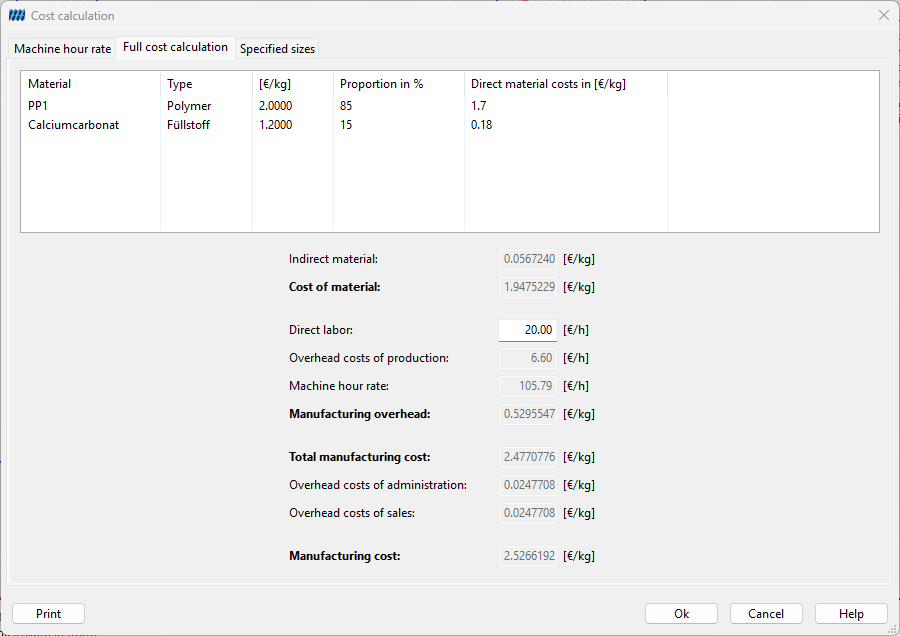
Specific sizes
Path: Main menu: Simulation > Costing
In the last tab the following predetermined values can be adjusted:
- Price index, Usual service life
- Total potential, Maintenance time, Batch changing time, Cleaning time, Servicing time
- Interest rate
- Consumable costs, Maintenance costs
- Required space, Price per m²
- Engine efficiency, Gear unit efficiency, Electricity costs, Water costs, Specific energy, Proportion of heating power, Proportion of cooling power
- Overhead costs of sales, Overhead costs of administration, Overhead costs of supplies (material), residual production
How these parameters interact an the calculation of the machine hour rate and the full cost calculations word are explained in the reference manual, see the link below.