Process Parameters
Path: Main menu > Simulation
Path: Main menu > Project > Create Process… Process parameter: Button New
While creating a standard process choose Create… to enter process parameters. The opening input mask Process parameters contains the concrete settings of machine parameters to be simulated. The items Edit process parameters, Load process parameters and Save process parameters as are included in the menu item Simulation.
The SIGMA process parameters consist of four categories: General, Material stages, Barrel temperatures and Enthalpy streams.
**Important: ** Defining the process parameters completely is a condition for each calculation!
Entered or edited data is saved by choosing Simulation > Save process parameters as in the menu.
General
Path: Main menu: Simulation > Edit process parameter… Tab: General
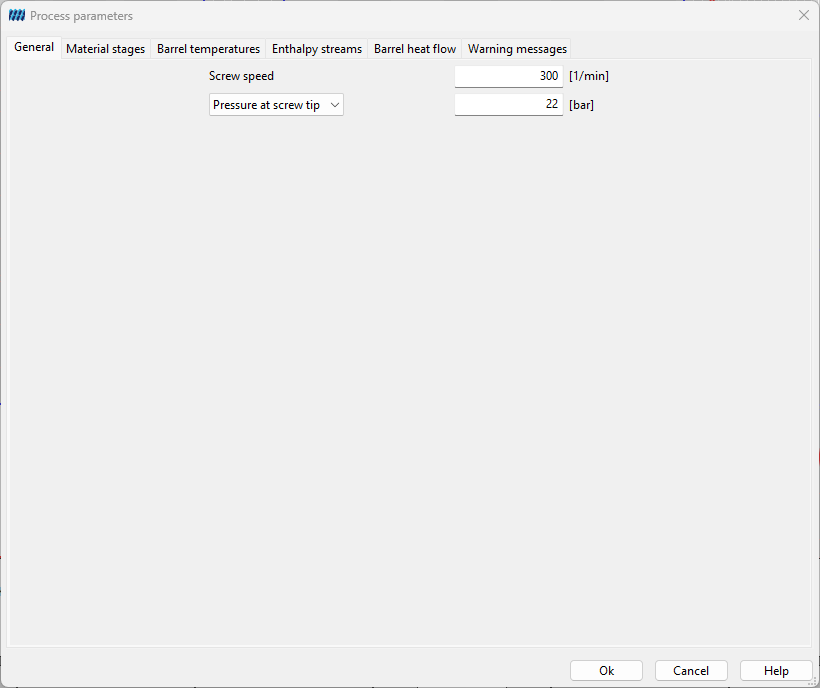
The dialog box General has to be completed with:
- Screw Speed [1/min]
- Pressure at screw tip [bar]
Material Stages
Path: ** Main menu: Simulation > Edit process parameter… Tab: Material stages
**Material stages are entered in the dialog box of the same name (see figure). Material stages in SIGMA are the sum of the feed rates with its respective throughputs and temperatures. Polymers respectively additives can only be added at feeding barrels which are listed in the dialog box Material stages.
After marking the material stage to be edited, the assignment of materials can either be done by loading it from file or database. Hereby, the material name with its belonging file where the material data is stored is assigned to the feeding barrel. The input boxes for Feed temperature and Feed rate are also related to the marked material stage.
The first material stage is identical with the feed rate of the fed additive, for every other material stage the data of the next material stage – i.e. the data of the (newly created) mixture – is needed for the simulation.
Example: In a process with two additions 200 kg/h PP are fed at the first feeding barrel and 50 kg/h $CaCO₃$ are fed at the second one. In this case the first material stage is PP (200 kg/h equivalent to the feed rate) and the second one is PP + $CaCO₃$ (250 kg/h with 80% PP and 20 % $CaCO₃$). This procedure does not lead to restrictions for the user concerning a certain material system, because every mixing rule known is only for two components.
Furthermore, you can define additional material stages not depending on feeding barrels. This is useful if there are material properties changing with residence time.
To define a new material stage click the button Additional ** The new material stage will appear in the listing, but it is invalid until you load a **Material and set the Position of the material stage.
To delete an additional material stage and all assignments to it, mark the respective one in the listing and click the button **Delete ** Note that only additional material stages can be deleted.
To edit an already existing material stage, mark it in the listing and change its Feed temperature and/or** Feed rate** by entering other values in the input boxes.
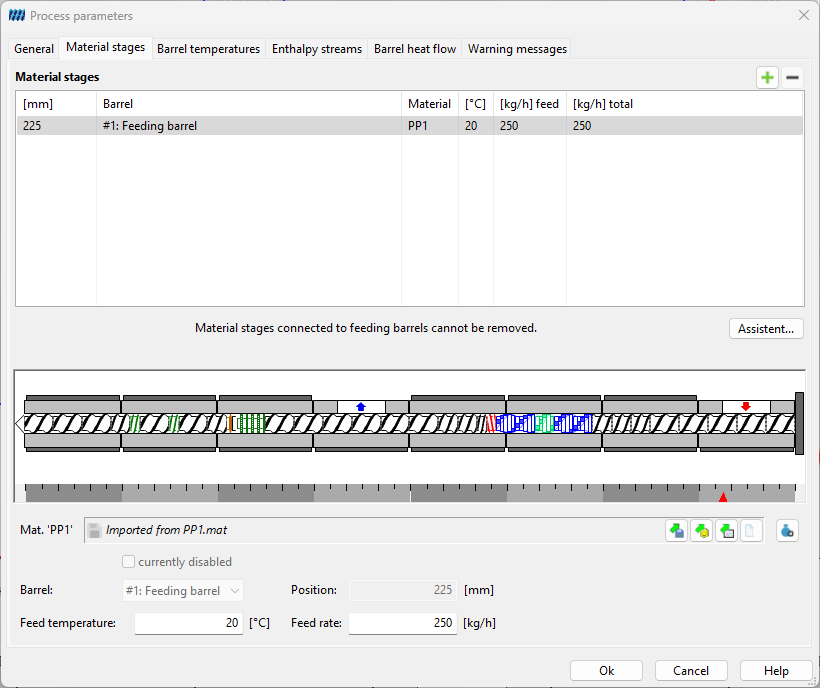
The 'Assistent' button can be used to request support in defining material stages. Clicking on it opens the 'Setup material stages' dialog (see following figure).
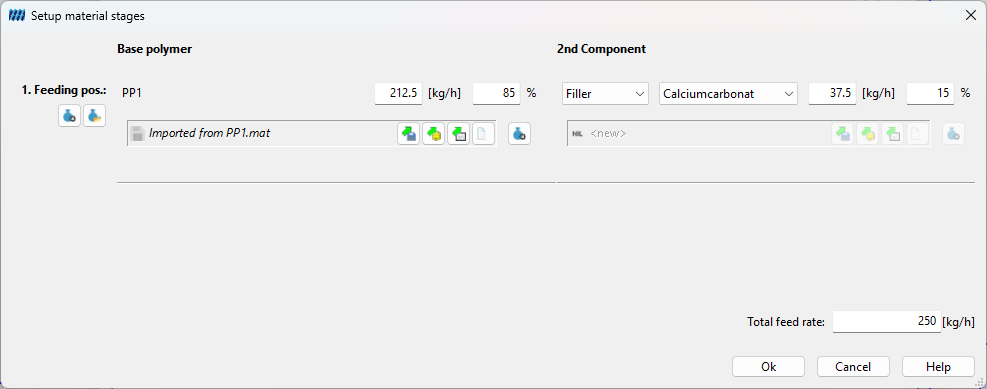
The previously selected material stage can now be converted into a filler component. Here, the base polymer can be changed and the filler or the second material selected. The assistent then creates the appropriate material and adds it to the material stage.
Barrel Temperatures
Path: Main menu: Simulation > Edit process parameter… Tab: Barrel temperatures
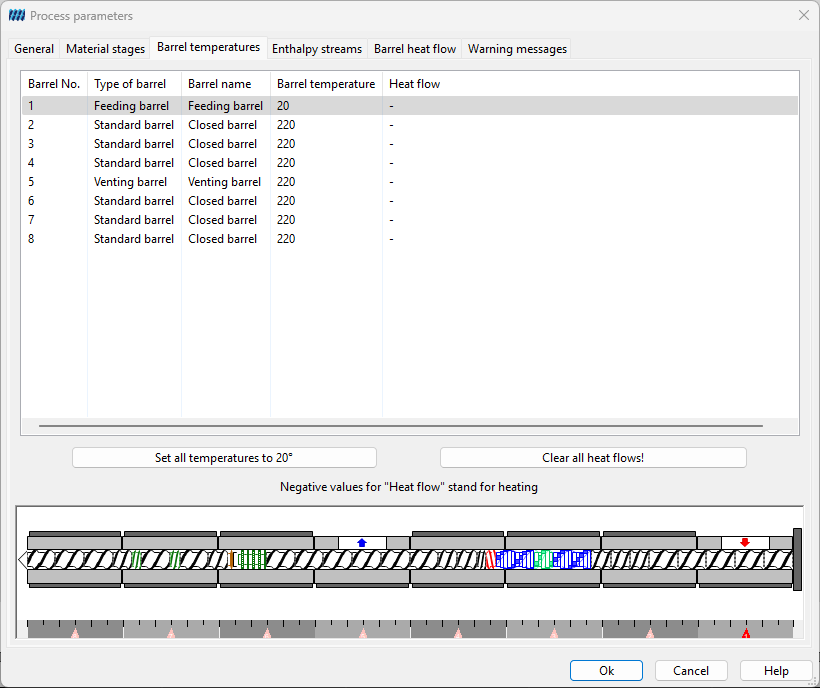
With help of the dialog box Barrel Temperatures (see figure) the temperatures adjusted at the machine are assigned to the belonging barrel sections. Mark the section to be edited in the listing and enter the temperature in the input section above. Note that only sections with heating can be edited.
By clicking the button Assign for all the entered temperature is assigned to each of the barrel sections.
Additionally this dialog offers the possibility of assigning a Heat flow to all or some of the barrels. Note that you have to check the respective box in the Calculation settings (see figure) to consider the heat flow in the calculation.
Negative values for the heat flow stand for heating.
Enthalpy Streams
Path: Main menu: Simulation > Edit process parameter… Tab: Enthalpy streams
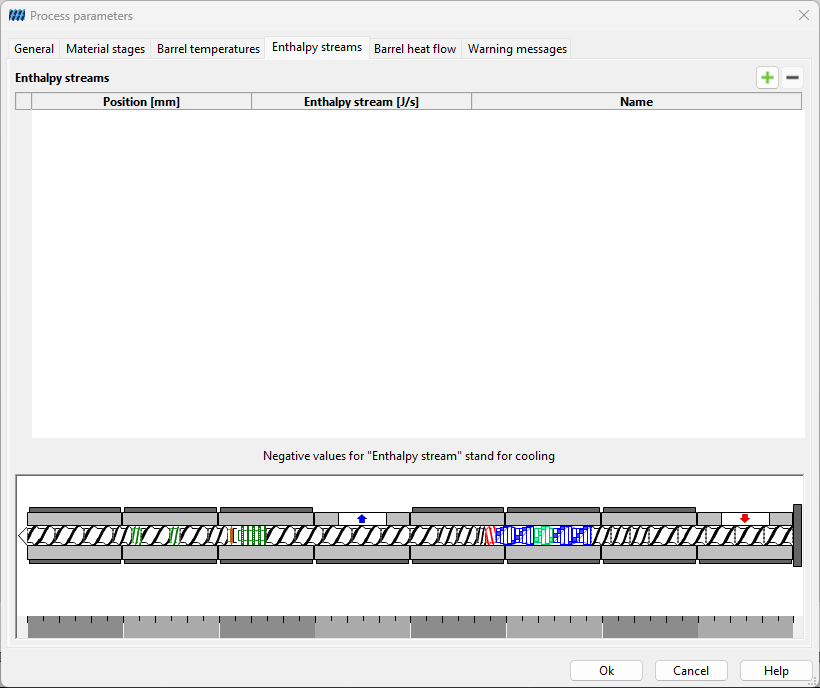
SIGMA calculates mechanical enthalpy changes (due to heat transfer, shear).
Known enthalpy changes e.g. like those appearing within reactive processes can be entered in the dialog box Enthalpy streams. Enthalpy streams are defined analog to material stages. With their Position and Enthalpy change completely defined enthalpy changes are considered from next calculation on.
Barrel Heat Flows
Path: Main menu: Simulation > Edit process parameter… Tab: Barrel heat flows
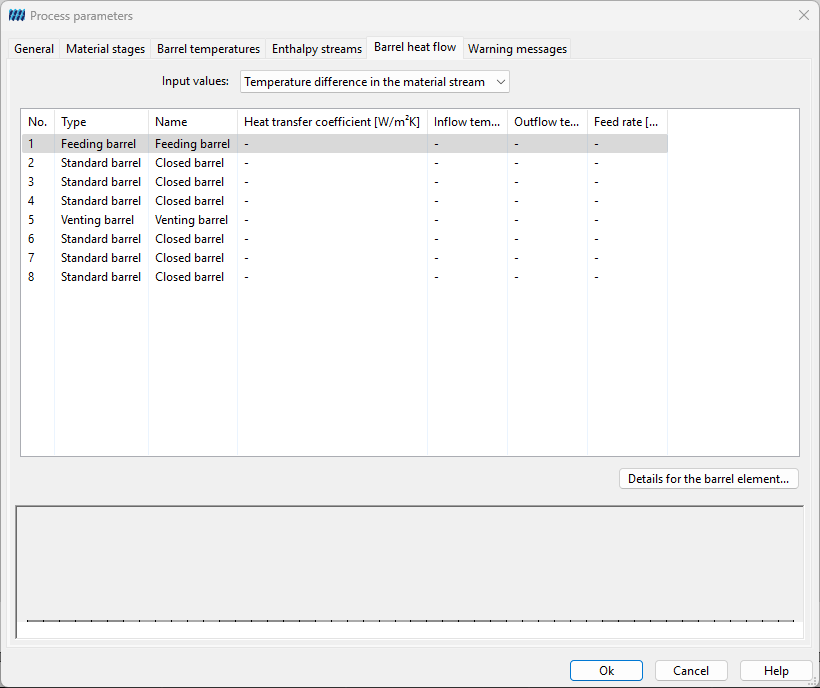 To determine the exact temperature at the barrel wall in SIGMA the barrel heat flow calculation was introduced. (See theory Barrel Heat Flows)
To calculate this specific values for each barrel element referring to the cooling medium have to be entered in the process parameters. This can be done in the following tab:
First a check mark has to be set at „include cooling“ in each dialog of the barrel elements in the tab „cooling geometry“. Here also the geometry data necessary for the calculation has to be entered.
For each barrel element the following parameter have to be defined:
- the mass flow rate of the cooling medium in kg/s
- the heat transfer coefficient in W/m²K
the user can then choose if he wants to define the inlet and outlet temperatures (in °C) or the specific heat flow (W/m²) and an average $T_{medium}$ (°C).
The values are entered with a double click on the particular cell. With the help of the arrow keys on your keyboard you can navigate vertically through the cells and enter values.
Warnings
Path: Main menu: Simulation > Edit process parameter… Tab: Warning Messages
In this tab, the user has the option to switch SIGMA warnings on and off. These warnings are then only ignored for the respective process, for example, if the user has deliberately defined a non-intermeshing profile.