Process Parameters - Barrel Temperatures
Process Parameters - Barrel Temperatures
Path: Main menu: Simulation > Edit process parameter… Tab: Barrel temperatures
With help of the dialog box Barrel Temperatures (see figure) the temperatures adjusted at the machine are assigned to the belonging barrel sections. Mark the section to be edited in the listing and enter the temperature in the input section above. Note that only sections with heating can be edited.
By clicking the button Assign for all the entered temperature is assigned to each of the barrel sections.
Additionally this dialog offers the possibility of assigning a Heat flow to all or some of the barrels. Note that you have to check the respective box in the Calculation settings (see figure) to consider the heat flow in the calculation.
Negative values for the heat flow stand for heating.
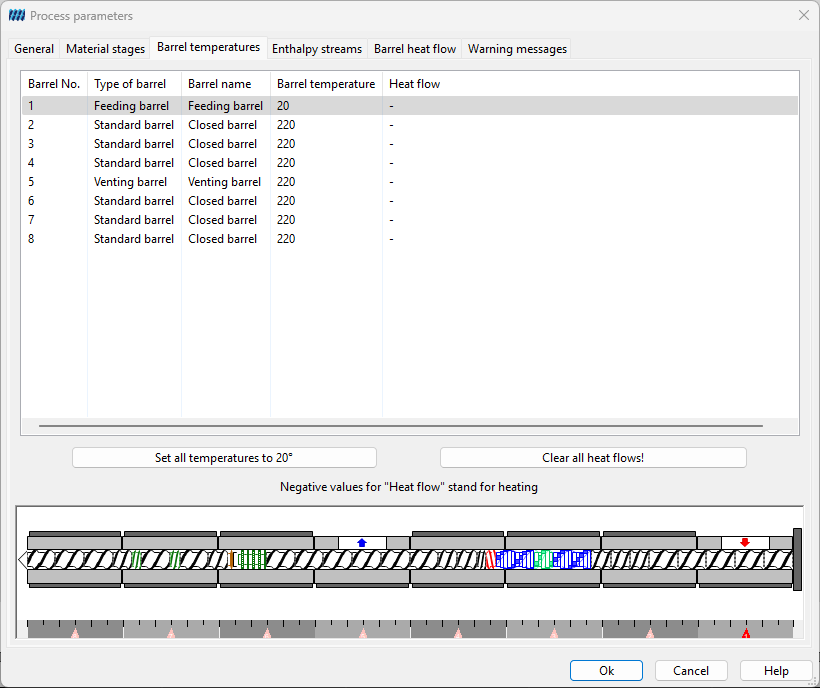
Figure: Barrel temperatures