Dies ist eine alte Version des Dokuments!
Variation Module
Variation Module
In addition to the D.o.E the variation module can be used to design experiments. On the basis of an already existing process related factors can be changed (fast and simply) and desired responses can be calculated. From each modification an experiment is the result from which an independent process can be generated if desired.
The experimental design and the related experiments are created in the form of a variation (.var-file) and assigned to the basic process.
Create a new variation / Open an already existing variation
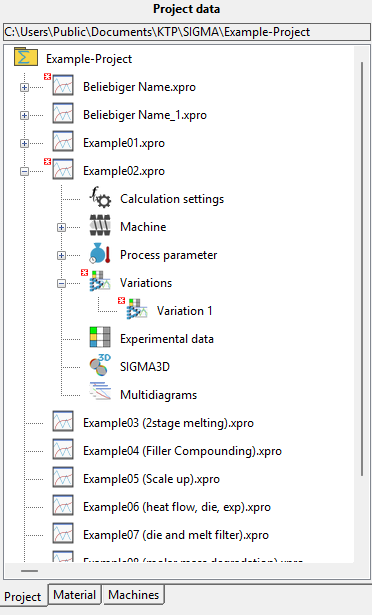
In the first step a basic process, i.e. a process already created in SIGMA, is chosen.
Path: Main menu > Project > Open process…
or
Path: Double-click on the name of the process in the window Project data
If variations of the chosen process already exist, these can be either chosen directly via the file explorer
Path: Click on Plus in front of Variation > Double-click on the name of the variation
or over the variation manager.
If a new variation shall be set up, either the menu
Path: Experiment data > Create variation / Open
or the variation manager can be used.